Local SEO Guide
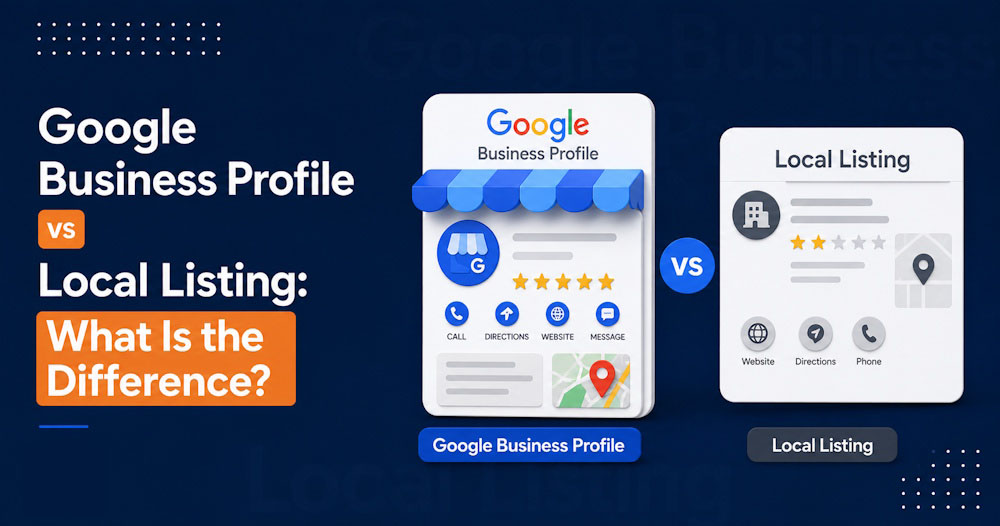
Google Business Profile vs Google Maps for Business Owners
Many business owners use Google Business Profile and Google Maps interchangeably, but each serves a distinct purpose. Google Business Profile lets eligible businesses manage their information on Google, while Google Maps helps people discover places, explore locations, and navigate to local businesses.
Knowing how these platforms differ can help you reach customers through local searches. You may need to claim and verify an eligible Business Profile, maintain accurate details, and ensure your business meets Google's guidelines. A listing appearing on Maps does not automatically give you management access, and having a Business Profile does not guarantee a specific local search position.
This guide covers how Google Business Profile and Google Maps connect, where their features differ, which details business owners can manage, and practical ways to strengthen local visibility without relying on ranking promises.
1. What Is Google Business Profile?
Google Business Profile is a free Google tool that allows eligible businesses to manage how their information appears on Google Search and Google Maps. Depending on eligibility and available features, owners can maintain details such as the business name, address, telephone number, website, opening hours, categories, photos, and services.
A Business Profile gives potential customers useful information before they contact or visit a company. For instance, someone looking for a nearby bakery may find its location, business hours, phone number, photos, customer feedback, and directions. These details help people assess whether the business suits their requirements.
Business owners and authorized managers can use the available profile controls to update eligible details, reply to customer reviews, share supported updates, and access performance insights where available. Management options and reporting features can vary as Google updates its services.
A Business Profile does not replace a website. It creates a business presence on Google's platforms, whereas a website offers greater control over content, service pages, product details, and the customer experience. Using both can help businesses improve discovery and provide visitors with more information.
Business eligibility also matters. Google Business Profiles are designed for businesses that meet Google's requirements for in person customer contact. Online only businesses without qualifying in person interactions generally cannot create a profile solely to gain local search exposure.
If you are setting up or improving a listing, Google Business Profile listing management support can help you understand the available setup options. Before creating another profile, check whether an eligible listing already exists for your business.
2. What Is Google Maps?
Google Maps is a mapping and navigation platform that helps people find places, explore locations, and plan trips. Users can search for businesses by name or category, examine map results, compare nearby options, and get directions by car, public transport, bicycle, or on foot where available.
For local companies, Google Maps offers a useful way to reach people searching for nearby services. Someone might look for a pharmacy close by, compare restaurants near a destination, or find a professional in a specific neighborhood. Maps can show relevant business listings alongside available location and contact details.
Information displayed on Google Maps may include a business name, address, opening hours, phone number, website, photos, reviews, and other attributes. The displayed details depend on the listing, Google's available information, the search query, and features supported in the user's region.
Google Maps serves purposes beyond finding businesses. People also rely on it to navigate streets, explore neighborhoods, identify landmarks, plan routes, and save places they may visit later. Local business discovery is one part of its broader mapping and navigation service.
A business may appear on Maps through a Business Profile or other information available to Google, but its appearance does not automatically grant you ownership or management access. If you represent that business, follow Google's official process to claim or manage an eligible listing.
To improve your business presence on Maps, review your listing information and make sure your location details are accurate. Google Maps SEO should prioritize relevant information and a trustworthy listing rather than misleading locations or unsupported ranking claims.
3. The Main Differences Between Google Business Profile and Google Maps
The key difference is straightforward. Google Business Profile gives eligible businesses tools to manage their public information, while Google Maps helps people discover locations and navigate. Both platforms are connected, but they serve different needs.
| Feature | Google Business Profile | Google Maps |
|---|---|---|
| Main purpose | Manage business details displayed across Google | Find places, explore areas, and navigate routes |
| Primary users | Business owners and approved managers | Customers, visitors, travelers, and everyday users |
| Business information | Offers controls for maintaining eligible listing details | Shows available business information to searchers |
| Verification | Supports verification for eligible business profiles | Displays locations without automatically granting ownership |
| Customer reviews | Authorized managers can reply to customer feedback | Users can read and post eligible reviews |
| Directions | Helps maintain correct business location information | Offers available routes and navigation guidance |
| Performance data | Can show available business profile performance insights | Focuses mainly on location discovery and navigation |
These distinctions show why a Google Maps listing should not replace active Business Profile management. When your business hours, website, or contact number changes, check the relevant management tools to keep your public information current.
Claiming or verifying a Business Profile also does not guarantee a top position on Google Maps. Local results depend on factors such as relevance, distance, and prominence, so visibility can vary across searches and users.
For a more complete listing strategy, Google Business Profile optimization can help address listing accuracy, completeness, and consistency. Good management begins with reliable details and adherence to Google's guidelines.
4. How Google Business Profile and Google Maps Work Together
Google Business Profile and Google Maps complement each other because eligible profile details can appear in Maps and Search. Once a business verifies and manages its profile, the available tools help maintain information that potential customers may see when looking for the business.
Imagine someone searching for a dental clinic nearby. Google may display relevant local results with business names, locations, ratings, hours, and website links. Selecting a result may open its details in Maps, where the customer can explore photos, read reviews, or get directions.
At the same time, the business owner uses the Business Profile management interface to update listing details and use available features. If the clinic changes its opening schedule, an authorized manager can submit the new hours through the appropriate editing option.
Accurate profile details give customers more reliable information, although updates may take time to appear or may not be published exactly as submitted. Google can review changes, consider information from other sources, and present details differently according to the situation.
Remember that Google determines how business information appears across its platforms. Owners can manage eligible profile details, but they cannot dictate every search result, guarantee listing positions, or control all information Google displays.
Businesses planning to improve local visibility should keep their website and Business Profile aligned with accurate, consistent information. Google search optimization can support this effort through relevant business details, useful content, and a stronger overall online presence.
5. Which One Does Your Business Need?
For most eligible local businesses, both platforms are useful, but each serves a different purpose. Google Business Profile helps you manage information published by Google, while Google Maps allows customers to find your location and plan their journey.
If you operate a physical storefront
A shop, restaurant, salon, or another eligible customer-facing business can benefit from keeping its Business Profile accurate. Customers can use Maps to locate the premises, check business hours, explore reviews, and get directions.
Use the genuine business name and confirm that the location qualifies as a customer-facing premises. Where Google's rules require it, permanent signage and accurate operating information are important parts of eligibility.
If you operate a service-area business
A plumber, electrician, cleaner, or similar eligible provider may visit customers instead of serving them at a storefront. Such businesses can qualify for a profile when they meet Google's requirements, even if their business address must remain hidden from the public.
Avoid presenting a virtual office, mailbox, or unattended location as a staffed storefront when it does not meet Google's requirements. Set up the profile to reflect how the business genuinely operates.
If you run an online-only business
Businesses that sell online without qualifying in person customer contact generally cannot create a Google Business Profile. You can still attract customers through your website and other digital marketing channels, but an ineligible listing should not be created solely to appear on Maps.
If you are uncertain about eligibility, review the latest Google Business Profile guidelines before creating or editing a listing.
Eligible businesses seeking a clearer local search strategy can explore local SEO services to align their profile information with website content and other relevant local marketing efforts.
6. What Can You Manage Through Google Business Profile?
Available management options vary by business type, profile eligibility, and Google's current interface. Common tasks include updating business details, handling customer feedback, and reviewing profile performance information where these features are supported.
Business information
Authorized managers can update details such as the business name, primary category, address or service area, telephone number, website, and operating hours. Certain changes may require review, and Google does not guarantee that every submission will appear exactly as entered.
Prioritize factual information over keyword insertion. Avoid adding service terms, place names, or marketing phrases to your business name unless they genuinely form part of the name used in the real world.
Photographs and other media
Eligible businesses can add supported photographs and media to show their premises, products, services, or working environment. Images should be authentic, relevant, and representative of what customers can actually expect.
Clear photographs can help people understand the business before visiting, but adding images does not guarantee improved search positions. Replace outdated pictures when necessary and avoid visuals that misrepresent the actual business.
Reviews and customer engagement
Authorized managers can reply to customer reviews through Google's available management tools. Keep responses courteous, useful, and mindful of customer privacy. Never exchange rewards for positive feedback or use tactics that manipulate review ratings.
A regular review response process helps businesses address customer concerns more consistently. Google review management can help organize review monitoring and responses while keeping activities aligned with Google's policies.
Performance information
Google may show how people discover and interact with a Business Profile. Depending on the available reporting tools, insights may include search activity and customer actions such as phone calls, website clicks, and requests for directions.
These figures offer useful clues about customer behavior, but they do not represent every aspect of business performance or sales. A directions request does not confirm a visit, and a website click does not necessarily lead to a purchase.
Accurate listing details provide a reliable starting point for using these features. Outdated or incorrect information can create a poor customer experience and make performance data harder to interpret.
7. What Can Customers Do With Google Maps?
Google Maps helps people discover destinations and find practical ways to reach them. Customers can look up businesses or service categories, review nearby choices, locate places on a map, and check details before choosing where to visit.
Find nearby businesses
Users can look for places such as cafes, repair shops, supermarkets, pharmacies, and local professionals. Results vary according to the search phrase, location, and relevance. People searching from different areas or using different terms may receive different listings.
Get directions
People can find routes to a business using the travel options available in Maps. Correct addresses and map markers matter because inaccurate location details can confuse visitors or direct them to an unintended destination.
Explore photographs and reviews
Available photos, ratings, and customer reviews help people assess a business location. Users can consider these details when comparing local options and choosing which company to contact or visit.
Save and share places
Maps allows users to save locations, share places with others, and build lists of destinations for later. These tools are useful for everyday errands, holidays, shopping trips, and discovering nearby attractions.
Since Maps presents information directly to customers, businesses should ensure that the details people see are accurate and useful. A Google Maps SEO approach should encourage genuine discovery through reliable listing information and a positive customer experience, not misleading locations or artificial activity.
8. Does Google Business Profile Control Google Maps Rankings?
No. Managing an eligible Business Profile supports local visibility, but it does not give business owners direct control over their positions in Google Maps search results.
Google identifies relevance, distance, and prominence as the main factors in local results. Relevance measures how closely a business matches the search. Distance considers how far it is from the searcher or the location indicated in the query. Prominence reflects how established or well known the business appears based on information Google can evaluate.
These signals influence results together. Even with a complete profile, one business may appear below another because the competing listing better matches the query, is nearer to the search location, or has greater prominence for that particular search.
Businesses cannot reduce their real distance from customers or guarantee higher positions by adding extra keywords to a profile. Instead, they can improve legitimate factors such as information accuracy, relevant categories, useful website content, and the quality of their customer service.
Customer reviews may help establish prominence, but purchasing feedback, publishing fabricated reviews, or rewarding people for positive ratings breaches Google's policies. Businesses should seek genuine feedback without attempting to manipulate local search results.
For a more comprehensive local visibility plan, Google Business Profile ranking services can help assess legitimate optimization opportunities. No agency can promise a fixed ranking or guarantee first place across all local searches.
9. How to Claim and Verify Your Business on Google
If your company is already visible on Google Maps, creating another listing may be unnecessary. Search for the business name and location first, then determine whether an existing profile is available to claim or manage. Duplicate listings can confuse customers and create avoidable management issues.
When the listing qualifies and you have permission to represent the business, follow Google's official claiming process. Sign in to the relevant Google account and complete the instructions provided for the existing profile.
Google selects the verification options available for each business. Depending on the listing and its circumstances, verification may involve video, telephone, text message, email, or another supported method. The same options are not available to every business.
If Google requests video verification, follow the steps provided in your account. You may need to show the business location, evidence that the business operates, and proof that you are authorized to manage it. Submit authentic evidence while protecting confidential information.
Ensure your business details remain accurate throughout verification. Completing the process does not make an ineligible address, business name, or operating model acceptable. Check the applicable guidelines before submitting your information.
For guidance on preparing your listing, Google verified business listing support can help explain the requirements and preparation steps. Google retains control over verification decisions and the methods offered to each business.
10. Common Mistakes Businesses Should Avoid
A common misunderstanding is believing that a business displayed on Google Maps must already have verified ownership. A location can appear publicly even when you cannot manage its details. Use Google's official claiming process to establish the appropriate access.
Another avoidable error is creating a replacement profile when access to an existing listing becomes difficult. Check whether the business already has a profile, whether another owner controls it, or whether you should request management access.
Businesses must also use addresses that meet Google's eligibility requirements. A virtual office, mailbox, or unattended location should not be presented as a staffed customer-facing premises unless it qualifies under Google's rules. Service-area profiles should accurately reflect how the business serves customers.
Avoid inserting search keywords into the business name purely to influence rankings. Use the genuine real-world name and provide accurate categories and descriptions. Misleading information and fabricated reviews can damage trust and create policy compliance issues.
Do not assume that hiring an agency guarantees better rankings or profile reinstatement. A qualified provider can help identify issues and make appropriate recommendations, but Google retains authority over eligibility, verification, and search placement.
When a profile is suspended or disabled, address the restriction through Google's relevant procedures before focusing on routine optimization. Google Business Profile suspension recovery support may help prepare a review, but restoration cannot be guaranteed by an external provider.
11. How to Improve Your Business's Local Visibility
After learning how Google Business Profile differs from Google Maps, concentrate on practical steps that maintain accurate business information and make your listing more useful to potential customers.
Complete the eligible profile information
Make sure your business name, primary category, operating hours, phone number, website, and address or service area are correct. Complete relevant fields where appropriate, and avoid adding unsupported keywords or details that misrepresent the business.
Maintain a useful website
Your website should explain your services, the areas you cover, and the best ways for customers to reach you. If you serve specific locations, publish accurate service information without creating misleading location pages for areas you do not cover.
Provide a good customer experience
Answer customer questions courteously, address feedback professionally, and keep your business hours updated. Clear service information and dependable customer support help build trust beyond your online listing.
Maintain consistent business references
Check relevant directories and online references to make sure your business details remain correct. Citation building services should focus on credible, relevant directories instead of generating excessive low-quality or inaccurate listings.
Review the profile regularly
Inspect your listing regularly for outdated photos, incorrect details, schedule changes, and new customer feedback. When several people manage the profile, assign clear responsibilities to keep business information reliable.
Businesses with multiple eligible locations need a consistent approach to managing their individual listings. Local SEO for small businesses can help organize location details and relevant search activities while keeping each profile aligned with Google's eligibility rules.
For ongoing listing maintenance, Google business listing management can help establish a practical routine for profile updates and information checks. Select support that fits your requirements and retain ownership of your business account.
12. Google Business Profile vs Google Maps: Final Checklist
Use these points to identify your priorities and manage your business presence more effectively.
- Recognize that Google Business Profile manages eligible business details, while Google Maps supports location discovery and navigation.
- Confirm that your business satisfies Google's requirements before setting up a profile.
- Look for an existing business listing before creating another one.
- Claim and complete verification through Google's authorized process.
- Check your business name, category, contact details, and location information for accuracy.
- Configure your address and service area to match the way your business operates.
- Upload authentic photos and share information that helps customers make informed decisions.
- Handle customer reviews respectfully and follow Google's feedback policies.
- Understand that profile verification and completeness cannot guarantee a particular search position.
- Revisit Google's official requirements when your business details or operating arrangements change.
Google Business Profile and Google Maps serve connected but distinct roles. Business owners maintain eligible listing information through profile management tools, while customers explore locations, compare available details, and find directions through Maps.
For eligible local businesses, keeping a Business Profile accurate is a practical step toward a stronger Google presence. Follow the applicable guidelines, share helpful information, build customer trust, and remember that no individual tool or marketing service can promise a specific local search position.
Frequently Asked Questions
1. What is the difference between Google Business Profile and Google Maps?
Google Business Profile lets eligible businesses maintain their public business information on Google. Google Maps helps people locate businesses, explore available details, and navigate to destinations. Both platforms work together to support accurate business information and local discovery.
2. Can my business appear on Google Maps without a Business Profile?
Business locations may appear on Google Maps through information available to Google, even when an owner has not claimed a listing. Managing an eligible Business Profile provides access to supported editing tools. Use Google's official claiming process to request management access.
3. Does Google charge businesses for a Business Profile?
No. Eligible businesses can create and manage a Google Business Profile without a standard listing fee. Agencies may charge separately for professional setup, ongoing management, or optimization, but these services are optional.
4. Can I navigate Google Maps without owning a Business Profile?
Yes. Google Maps is available for everyday navigation, route planning, and place discovery without a Business Profile. Business owners who need to update an eligible listing should use Google's designated profile management and verification procedures.
5. Will Business Profile verification improve my Google Maps position automatically?
No. Verification does not guarantee better rankings or a particular position. Google's local results consider relevance, distance, and prominence, so placement depends on the search context and other available signals.
6. Are online businesses eligible for Google Business Profile?
Businesses that operate exclusively online without qualifying in person customer contact generally do not meet Google's Business Profile eligibility requirements. Check the latest official rules before registering, and never use an unsuitable virtual address to misrepresent your business location.
7. How can I take ownership of my existing Google Maps listing?
Find your business on Google Maps and check whether an official claim or management option is available. Follow Google's instructions to request access. Avoid creating another listing when an existing profile already represents the same business.
8. Where should I update my business hours and contact details?
Use the Google Business Profile management interface to edit eligible business details, including hours and contact information. Google may review submitted changes before publishing them, so check the listing afterward to confirm the information is accurate.
9. How can customer reviews affect local business visibility?
Reviews can influence how customers assess a business and may contribute to its prominence in local results. Encourage genuine feedback and respond constructively. Purchased reviews, fabricated comments, and incentives offered for positive ratings can breach Google's policies.
10. Is professional help useful for Google Business Profile management?
A knowledgeable provider can assist with listing accuracy, profile maintenance, verification preparation, and local SEO planning. Choose a transparent service that follows Google's requirements, protects account access, and makes no unsupported promises about rankings or verification.
Disclaimer: This educational article is independent and is not sponsored, affiliated with, or endorsed by Google. Platform features, eligibility rules, and policies can change. Refer to Google's official resources for the latest requirements. No provider can promise specific local rankings or guarantee a verification result.