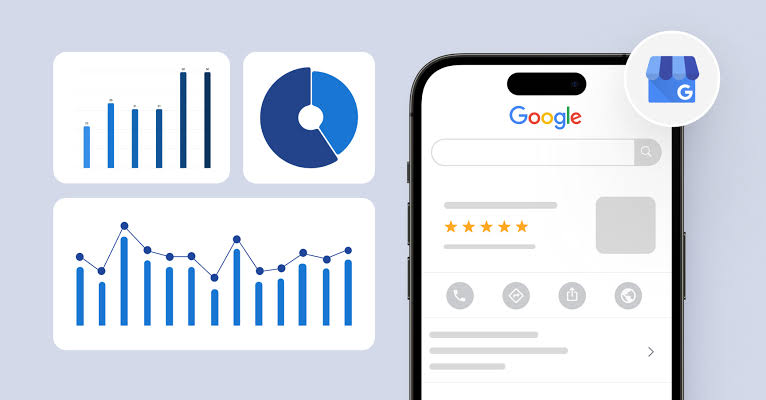
A GMB reporting tool enables business owners, marketers, and agencies to evaluate how their businesses perform across Google Search and Google Maps. Rather than examining separate statistics without context, these tools present available data through dashboards, charts, summaries, and reports that make performance patterns easier to interpret.
For local businesses, reporting helps measure whether their online presence is attracting potential customers. You can review available profile interactions, website visits linked to your profile, phone calls, direction requests, and other useful performance indicators. The metrics displayed depend on Google's reporting interface, individual profile, and data available for the chosen period.
Effective reporting goes beyond displaying statistics. It helps businesses spot performance changes, compare time periods, assess marketing efforts, and prioritize areas that require improvement. This guide covers Google Business Profile analytics, essential performance metrics, differences between Google's built-in reports and external reporting solutions, and practical ways to organize your reporting process.
1. What Is a Google Business Profile Reporting Tool?
A Google Business Profile reporting tool helps collect, organize, compare, or summarize information about how a business performs on Google. It can include Google's native reporting interface, spreadsheets prepared from available data, or third-party software connected to supported Google data sources.
Its main purpose is to make performance data useful for business decisions. A restaurant, for instance, may examine profile discovery and website visits, while a plumbing business might prioritize phone calls and customer enquiries. Marketing agencies may require standardized monthly reports to evaluate the profiles they manage for different clients.
Reporting capabilities vary between platforms. Basic solutions may offer charts and date comparisons, whereas advanced tools can include multi-profile monitoring, automated reports, branded dashboards, and analytics integrations. Before choosing a solution, confirm its supported metrics, data refresh frequency, and reporting integrations.
A reporting dashboard serves a different purpose from a local ranking tracker. Business Profile reports show available engagement and search performance data, whereas local rank tracking tools estimate a business's position for specific search terms and geographic locations. Both provide useful information, but they measure different aspects of local search performance.
Businesses looking to improve profile accuracy and completeness alongside performance monitoring can explore Google Business Profile optimization. Reporting reveals how a profile performs, while optimization focuses on improving relevant business details and profile information.
2. Why Google Business Profile Reporting Matters
Without consistent reporting, businesses may base marketing decisions on incomplete information. A profile could attract more views while generating fewer calls, or website traffic could grow without increasing customer enquiries. Reviewing related metrics together provides a clearer picture than evaluating one statistic in isolation.
Performance reports also establish a historical record of business activity. Weekly reviews can highlight short-term fluctuations, while monthly and quarterly comparisons reveal broader performance patterns. This helps businesses identify lasting changes instead of reacting to temporary variations.
For business owners, reporting can help answer practical questions:
- Are potential customers finding the business through Google?
- Are profile visitors completing meaningful customer actions?
- Which reporting periods show noticeable engagement changes?
- Did a profile or website update coincide with different results?
- What performance issues should be reviewed before the next report?
Agencies can use structured reporting to communicate completed work and measurable outcomes consistently. A useful report identifies changing metrics, summarizes completed activities, explains possible findings, and outlines the next steps. This approach also reduces the risk of making unsupported claims about marketing results.
Reporting does not directly improve search rankings or guarantee additional customers. Its benefit comes from turning available information into informed decisions. Reliable analysis requires accurate data, comparable reporting periods, and a realistic understanding of what each metric can demonstrate.
3. Use Google's Built-In Performance Report
Before investing in an external analytics platform, examine the performance data available through Google Business Profile. Google's native reporting interface provides a useful starting point because it displays information associated with your profile without making a third-party dashboard your only source of insight.
Start by signing in to the Google account authorized to manage your eligible business profile. Locate the profile through the available Google Search or Maps management interface and open the Performance section if available. Select your preferred date range and examine the metrics provided for that business.
Google may update its interface and reporting options over time. Depending on the profile and selected period, available information may include profile views, searches or search terms, and customer interactions such as calls, website clicks, and direction requests. Individual metrics are not available for every profile, and reporting coverage can differ.
Always document the reporting period when saving or exporting performance data. For example, a report covering an entire calendar month should not be compared directly with a shorter interval without considering the difference in duration. Compare equivalent periods where possible and record unusual events that could influence the results.
Native Google reporting provides a useful performance baseline. Before adopting another dashboard, learn how Google presents its metrics and defines each measurement. This makes it easier to identify differences between source data and figures summarized by external reporting software.
When handling client profiles, use authorized account access and respect the applicable permissions. Reports should rely on information you are permitted to view, while confidential business and customer data must be managed appropriately.
4. Important Metrics to Track
The right metrics depend on what your business offers and how customers interact with it. Restaurants, professional service providers, and companies with several locations often measure different outcomes. Choose a practical group of indicators tied to customer discovery, engagement, and business goals instead of collecting statistics without a clear purpose.
Profile views and visibility
Available profile view data helps you assess how frequently your listing appears or is viewed according to Google's reporting definitions. Track changes across comparable periods, but remember that a reported view does not necessarily represent a unique prospect or an actual customer visit.
Searches and search terms
When Google provides search data, it can reveal how users find your business profile. Available information may indicate discovery through your business name or relevant services, products, and categories. Use these figures to understand search patterns rather than treating them as a complete history of all customer searches.
Calls
Call interaction data helps measure interest from people considering contacting your business through its profile. However, a recorded call action does not confirm that a conversation took place or generated revenue. Compare the available figures with internal call records when evaluating actual business results.
Website clicks
Website click data indicates whether profile visitors are proceeding to your website. When suitable web analytics are configured, examine what those visitors do after arriving. Check that your website loads correctly and directs potential customers to relevant information or contact options.
Direction requests
Direction requests are particularly relevant to businesses that welcome customers at a physical premises. For service-area businesses that travel to customer locations, this metric may offer less direct insight into business performance. Interpret the figures based on your operating model.
Reviews and customer feedback
Review volume, average ratings, and response activity offer additional context about customer satisfaction and online reputation. Track these separately unless your reporting platform includes them directly. A high or low review rating alone cannot determine whether a business profile performs effectively.
To strengthen your local online presence, consider Google Business Profile optimization alongside performance tracking. Reporting identifies measurable changes, while optimization addresses relevant profile improvements that may contribute to better local search visibility.
5. How to Choose the Right Reporting Tool
An effective reporting tool delivers dependable information in a format that supports your decisions. A small business may work comfortably with Google's built-in reports and a spreadsheet, whereas an agency overseeing numerous profiles may require automated data collection, centralized dashboards, and client-ready reports.
Begin by defining what your reporting process needs to accomplish. Are you monitoring a single location or several? Will reports support internal planning or client communication? Do you require scheduled delivery, historical comparisons, downloadable data, or website analytics integrations? These answers can help you identify suitable reporting solutions.
Compare available platforms against these practical requirements:
- Data source: Check whether the platform uses authorized Google data, supported integrations, estimates, or a combination of sources.
- Metric coverage: Verify that the reporting features include the measurements relevant to your objectives.
- Update frequency: Determine when data refreshes and how the platform communicates reporting delays.
- Date comparisons: Choose tools that support clear comparisons across equivalent time periods.
- Multiple profiles: Confirm that the platform accommodates your locations, accounts, and access requirements.
- Exports and presentation: Check whether reports can be downloaded or shared in useful formats.
- Privacy and access: Assess account permissions, information handling, and the provider's security measures.
- Cost: Evaluate subscription fees against the time saved and reporting features you genuinely need.
Be skeptical of tools that present precise rankings or guaranteed growth as measurements directly supplied by Google's Business Profile reporting interface. Ask where each figure originates and distinguish verified profile statistics from third-party estimates or calculated metrics.
For businesses targeting stronger Google Maps visibility, Google Maps SEO can complement regular performance analysis. Connect reporting with relevant optimization work while recognizing that a change in rankings alongside another activity does not prove that the activity caused the result.
6. How to Build a Monthly Reporting Process
A dependable reporting routine is more useful than a complicated dashboard that rarely gets reviewed. Set a regular schedule, apply consistent metric definitions, and record important business changes. Monthly reporting suits many local businesses, while companies handling frequent enquiries may benefit from checking selected indicators each week.
Step 1: Define the objective
Determine which business questions the report should answer. A home service provider may prioritize calls and website visits, whereas a clinic or retail shop may focus on customer discovery and direction requests. Choose indicators that reflect how customers find and engage with your business.
Step 2: Select the reporting period
Set a standard timeframe, such as a calendar month, and follow it for each report. When comparing results with the previous month or the same period last year, identify the exact dates. If reporting intervals differ in length, explain the difference before interpreting the results.
Step 3: Collect data from reliable sources
Gather available Business Profile metrics from Google's reporting interface or a platform with an appropriate data connection. Clearly identify any additional analytics sources, and avoid combining unrelated measurements without explaining their definitions and calculations.
Step 4: Compare and interpret
Focus on changes that could influence business decisions. If calls increase while website clicks decline, investigate possible changes in customer behavior, profile activity, or reporting conditions. Do not label a result positive or negative until you understand the meaning and limitations of the metric.
Step 5: Record actions and next steps
Document relevant profile edits, website updates, marketing campaigns, seasonal influences, and operational changes. Use these observations to select a manageable number of tasks or questions for the next reporting cycle.
For instance, if website clicks increase but enquiries remain unchanged, inspect the landing page, contact information, mobile usability, and conversion tracking. If calls decrease, check business hours, phone availability, and changes in customer demand before attributing the decline to profile performance.
Businesses working to improve local search visibility can also use Google Business Profile ranking services alongside reporting. Keep ranking estimates separate from Google's native performance metrics, and record the search terms, locations, and dates used to monitor visibility.
7. Common Google Business Profile Reporting Mistakes
Performance reports become less useful when statistics are interpreted incorrectly or presented without sufficient context. Even a well-designed dashboard can lead to poor decisions if its figures are misunderstood. Avoid these frequent mistakes when reviewing Google Business Profile data.
Focusing only on views
An increase in views can suggest broader exposure, but it does not confirm that visitors contacted your business or made a purchase. Evaluate visibility figures together with relevant customer interaction metrics.
Comparing unequal reporting periods
A 30-day report cannot be compared directly with a 10-day report without accounting for the difference. Choose equivalent periods and display the exact dates to support accurate comparisons.
Treating interactions as confirmed sales
A website visit, call interaction, or direction request does not confirm a completed transaction. To measure commercial results, connect profile reporting with appropriate call logs, enquiry records, or sales information while protecting customer privacy.
Attributing every change to one action
Local performance may fluctuate because of seasonal demand, competitors, operating schedules, customer preferences, or changes to Google's systems. When results shift after a profile update, the timing alone does not establish a direct cause.
Relying on unchecked external data
Reporting platforms can differ in their sources, update frequency, and measurement methods. Identify estimates and calculated figures clearly. When external statistics do not match Google's native reports, examine how each figure was collected before interpreting the difference.
Overlooking business-specific factors
Fewer direction requests may concern a walk-in retailer but mean something different for a company that visits customers. Select measurements that fit the business model instead of judging every client against identical performance expectations.
If business information differs across online directories, a Google Business Profile audit can help identify details that require attention. Use reporting to uncover meaningful questions and improvement opportunities rather than presenting incomplete figures as proof of success.
8. Reporting for Agencies and Multiple Locations
Agencies and businesses with several branches need reporting workflows that remain manageable as the number of profiles grows. The goal is to maintain consistent reporting standards while recognizing differences in location, business objectives, operating models, and available information.
Develop a common report format covering the reporting dates, profile identification, available visibility statistics, customer interactions, significant changes, completed tasks, and planned activities. Include straightforward metric definitions to ensure that team members interpret the information consistently.
If your reporting platform manages multiple profiles, verify that access permissions are appropriate and each business is linked to the correct data. Do not assume that a centralized dashboard automatically retrieves complete, up-to-date information for every branch. Check integration capabilities and data refresh intervals.
Branch comparisons should account for opening hours, customer demand, service offerings, and local market conditions. A busy high-street retailer and a business serving customers at their properties operate differently. Explain these distinctions instead of evaluating every location against one unexplained metric.
Companies managing genuine branches across different markets can consider local SEO services to coordinate optimization across their locations. Reporting can measure available performance trends, but every profile must continue to comply with Google's eligibility and representation policies.
Keep client reports focused on the findings that matter most rather than overcrowding them with charts. Describe what changed, clarify what the available evidence establishes, and outline the next planned actions. Clear explanations make analytics easier to use for clients without specialist reporting knowledge.
Every reporting workflow also needs an accountable review process. Assign responsibility for investigating unexpected changes, checking data accuracy, and tracking outstanding tasks. Automated reports can reduce manual effort, but meaningful conclusions still require informed review.
9. Connect Reporting With Local SEO Improvements
Performance data becomes more valuable when it leads to practical improvements. If people discover your profile but rarely make contact, review the accuracy of your information, the clarity of your services, and the next steps offered on your website. When discovery patterns change, investigate available search information alongside relevant local market developments.
Businesses targeting Google Maps visibility should check their categories, service details, contact information, opening hours, and relevant images. Update these elements only when the changes accurately represent the business. Avoid irrelevant categories, keyword-heavy business names, and addresses that fail Google's requirements.
Online reputation deserves separate attention within your optimization plan. Respond thoughtfully to customer feedback and invite genuine customers to share honest reviews without prohibited incentives. Google review management can support a more organized approach to handling customer feedback.
Service-area businesses should verify that their listed coverage reflects the places they genuinely serve and that their address visibility is configured appropriately. Businesses welcoming customers at an eligible premises should ensure that the published address and opening hours reflect actual operations.
Resolve eligibility or verification concerns before prioritizing ranking improvements. Google Business Profile video verification information may help you understand an available verification requirement, while Google Business Profile suspension recovery guidance may be relevant if a listing has been suspended. Neither process guarantees approval or reinstatement.
For a wider local marketing strategy, Google Maps SEO can complement performance monitoring through relevant profile improvements, location-focused website content, and accurate business information. Investigate the evidence behind reported changes before choosing an appropriate response.
10. A Simple Google Business Profile Report Template
You can start measuring profile performance without purchasing specialized software. For a single business or a small group of locations, a spreadsheet may be sufficient when information is recorded consistently and its source is documented. The example below outlines the main sections of a practical monthly performance report.
| Report section | What to include | Why it matters |
|---|---|---|
| Business details | Business name, profile, and reporting period | Defines the report and identifies the business. |
| Visibility | Available views and discovery statistics | Shows how profile exposure changes over time. |
| Customer actions | Available calls, website clicks, and direction requests | Summarizes measurable customer interactions. |
| Comparison | Previous equivalent period and valid percentage changes | Makes performance trends easier to identify. |
| Business context | Seasonal factors, profile updates, campaigns, or known issues | Provides context for interpreting reported results. |
| Action plan | Priority tasks, responsible team members, and review dates | Converts findings into measurable follow-up tasks. |
When measuring percentage changes, confirm that the previous period has a non-zero value and that both reporting periods are comparable. If the earlier figure is zero, show the actual numbers instead of calculating a misleading percentage. Mark missing metrics as unavailable rather than recording them as zero.
Add a concise overview at the start of each report. Highlight significant performance changes, mention relevant data limitations, and outline the recommended next steps. Visual charts can make trends easier to recognize, but readers still need a clear explanation of their business implications.
If you rely on external reporting software, regularly check selected figures against the original data source. These routine checks can reveal connection errors, delayed updates, or differences in metric calculations before reports reach clients or stakeholders.
11. Best Practices for Accurate Reporting
Reliable reporting requires consistent methods, transparent data sources, and careful analysis. A straightforward dashboard built on dependable information is more valuable than a complex report that mixes unrelated statistics or overlooks important limitations.
- Standardize reporting dates: Compare equivalent timeframes when reviewing monthly or annual performance.
- Identify data sources: Specify whether statistics originate from Google, website analytics, external estimates, or internal records.
- Clarify each metric: Explain what individual measurements represent and how they should be interpreted.
- Document business changes: Note profile updates, seasonal patterns, and operational events that could influence results.
- Manage access securely: Restrict reporting permissions to authorized users and apply appropriate account security measures.
- Make evidence-based claims: Avoid presenting reports as proof of guaranteed ranking gains or revenue growth.
- Inspect unusual results: Investigate unexpected variations instead of accepting automated summaries without review.
- Define follow-up tasks: Convert useful findings into specific actions and assess their outcomes in subsequent reports.
Keep in mind that reporting information has limitations. Certain metrics may arrive late, appear in aggregated form, remain unavailable for specific periods, or change as Google modifies its reporting systems. Record collection dates and recognize that older reports may not correspond exactly with figures displayed in an updated interface.
To assess local visibility beyond profile engagement, consider Google Business Profile ranking services alongside performance reporting. Ranking assessments should specify the search terms, locations, and observation dates because visibility can differ across geographic areas and search contexts.
12. Final Recommendations
A GMB reporting tool provides valuable insight into available Google Business Profile statistics, but meaningful analysis requires more than software alone. Begin with Google's built-in Performance section, select a consistent reporting schedule, and prioritize indicators that reflect your business objectives and customer behavior.
Consider external platforms when they address specific reporting needs, including combining multiple profiles, preparing regular client summaries, or connecting authorized data sources. Evaluate their metric coverage, integration quality, data protection measures, subscription costs, and use of estimates before making a commitment.
Most importantly, treat reporting as a way to investigate performance rather than an automatic explanation of results. Changes in profile views or customer interactions may highlight areas worth examining, but they do not independently establish what caused those changes. Compare suitable periods, assess operational factors, and review supporting evidence before attributing an outcome to a particular improvement.
A well-maintained reporting routine helps businesses evaluate their digital presence, explain performance more accurately, and prioritize useful marketing activities. Although reporting cannot promise better rankings, additional enquiries, or higher sales, it provides a structured basis for making informed local marketing decisions.
Frequently Asked Questions
What does a Google Business Profile reporting tool do?
It organizes available information about a business's visibility and activity across Google Search and Maps. Depending on the source, reports may include profile views, discovery data, and customer interactions. The available measurements vary by profile and reporting platform.
Can I access Google Business Profile performance data for free?
Eligible businesses can review available statistics through Google's built-in Performance section. This provides a useful foundation for monitoring profile activity. External platforms may charge for advanced dashboards, additional integrations, scheduled reports, or multi-location features.
Which Google Business Profile statistics are worth monitoring?
Choose measurements that support your business objectives, such as available profile views, discovery searches, call interactions, website clicks, and direction requests. Priorities vary according to your services, customer journey, and the information Google provides.
Will a reporting platform reveal my precise Google Maps position?
Performance analytics and local position monitoring measure different things. Some external platforms estimate rankings for specified search terms and geographic areas, but those estimates are separate from Google's native Business Profile performance statistics.
What is the ideal schedule for Business Profile reporting?
Monthly reviews work well for many businesses, while others may benefit from checking selected indicators weekly. Choose a schedule that matches your operational needs and maintain comparable reporting periods to make meaningful evaluations.
Is automated Google Business Profile reporting possible?
Yes. Certain external platforms and customized reporting workflows can automate data collection and report delivery. Verify supported metrics, refresh schedules, available integrations, and required account permissions before selecting a solution.
Why do different reporting platforms display different figures?
Variations may result from different data sources, reporting dates, update intervals, metric definitions, or estimation methods. Compare the methodologies and selected periods, then consult Google's native reports when suitable source data is available.
Can performance reporting help increase local search rankings?
Reporting does not independently improve rankings or guarantee better positions. It helps identify patterns and guide further investigation. Sustainable improvements require appropriate optimization, accurate business information, and attention to Google's ranking factors.
Can an SEO agency report on several business profiles?
Some reporting solutions support multiple listings, centralized dashboards, and separate client reports. Before choosing one, check account authorization, available data, export functionality, and privacy controls to ensure it meets your agency's requirements.
What information belongs in a monthly profile performance report?
Include the business details, reporting dates, available visibility statistics, customer interaction figures, comparisons with equivalent periods, relevant business context, known data limitations, and prioritized follow-up activities.